UX & Product
UX · PRODUCT · CONTENT DESIGN
Making the experience make sense
Product copy has a different job than campaign copy. It has to anticipate what someone needs, make complex information easier to understand, and help people move through an experience without getting in the way. Across digital experiences and physical touchpoints, I worked with designers and product teams to turn requirements into clear, useful, and occasionally unexpected interactions.
ROLE: Sole copywriter | CLIENT: Capital One | FOCUS: UX writing & content strategy | WORK: Digital & experiential products, content design
A sweeter user experience
Turning a physical touchpoint into user engagement
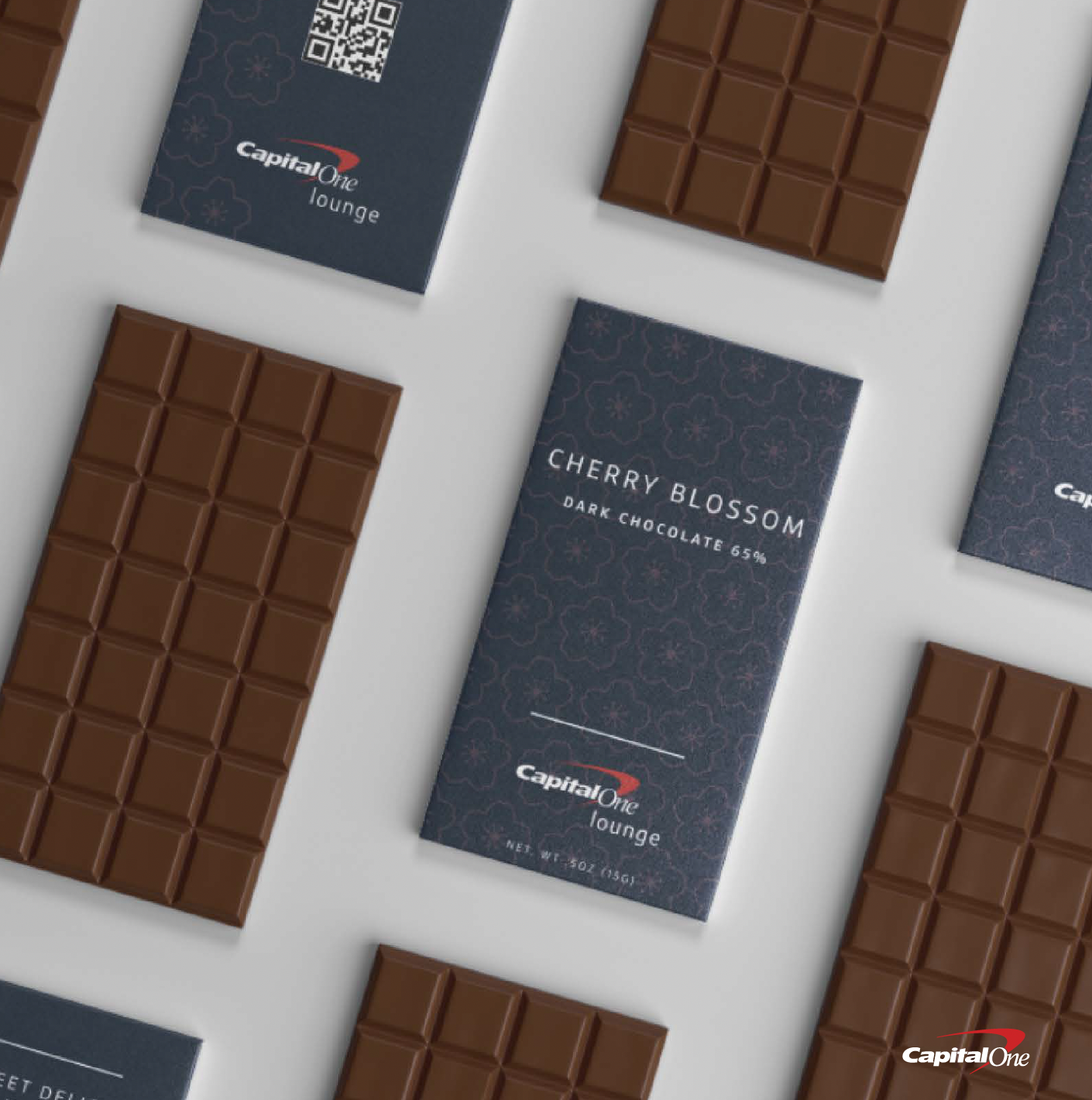
Capital One wanted more lounge guests to share feedback about their experiences. The opportunity was to turn a simple giveaway into an invitation to engage. Working with an art director, I explored names and packaging copy for custom chocolate bars designed around each lounge, with a QR code that gave guests an easy path to the survey.
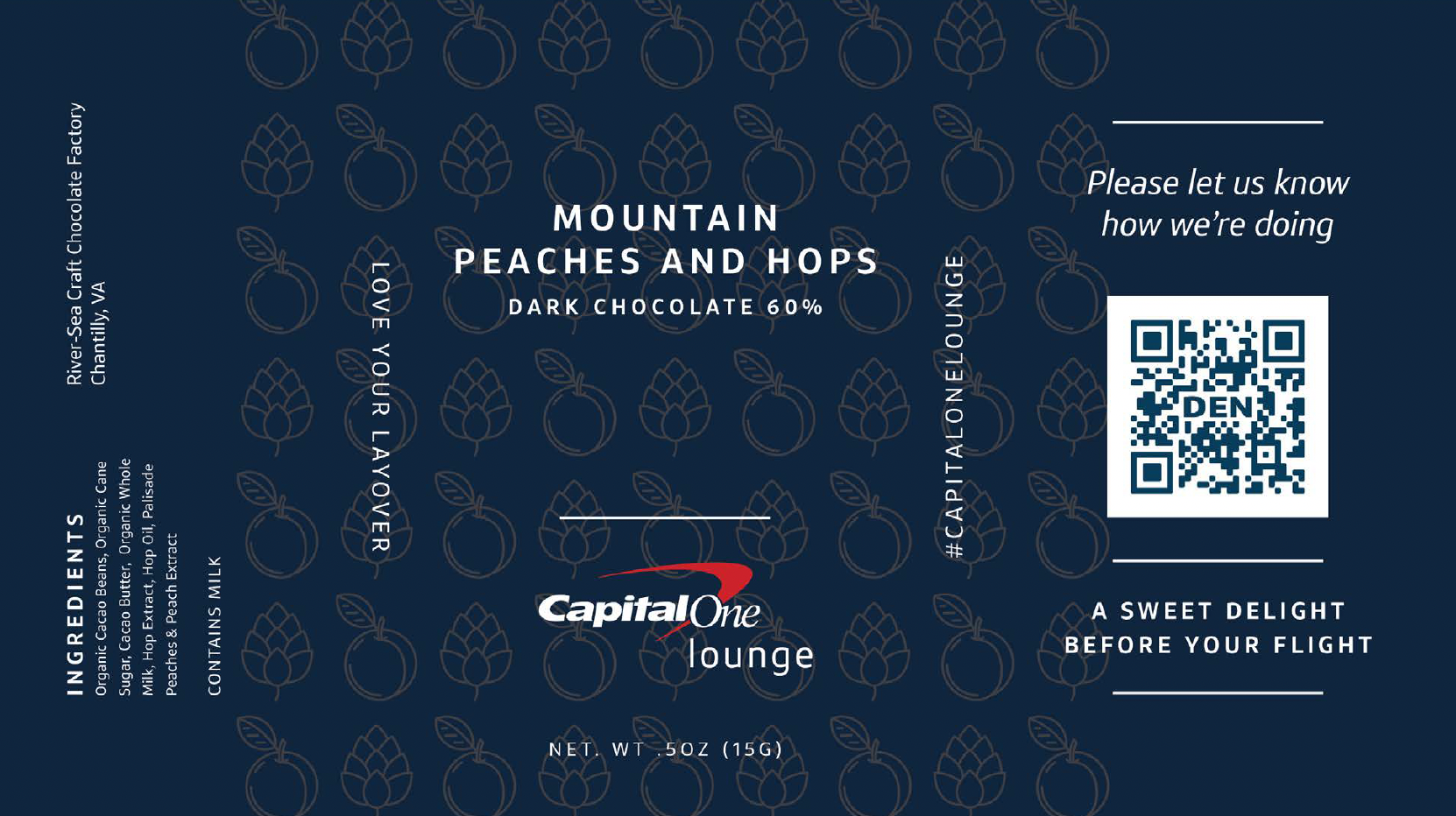
A delightful reason to scan
The packaging did more than wrap the chocolate. Naming and flavor gave each bar a sense of place, while the QR code turned the takeaway into a simple path from the physical lounge experience to customer feedback.
Less waiting. More lounging.
Introducing a digital waitlist through clear, customer-first content
Capital One introduced a digital waitlist that allowed cardholders to check lounge capacity and join the line before arriving at an airport lounge. Working from information provided by SMEs, I developed long-form product content that introduced the tool, explained how to access it, and guided travelers through the experience, from checking availability to receiving their entry notification. The challenge: translating a new digital tool and its operational details into clear instructions that helped travelers know what to do and what to expect.”
Introducing the experience
HL: Join the waitlist ahead of arriving to the Capital One Lounge
Sub: Check capacity and, if needed, join the waitlist ahead of your arrival—from the Capital One Mobile app.
Body Intro: At Capital One Travel, our goal is to make the airport travel experience more seamless and efficient for our customers—from booking to boarding and beyond. To maintain our best-in-class guest experience, we’ve developed innovative digital features to manage Capital One Lounge capacity and better serve the needs of our customers.
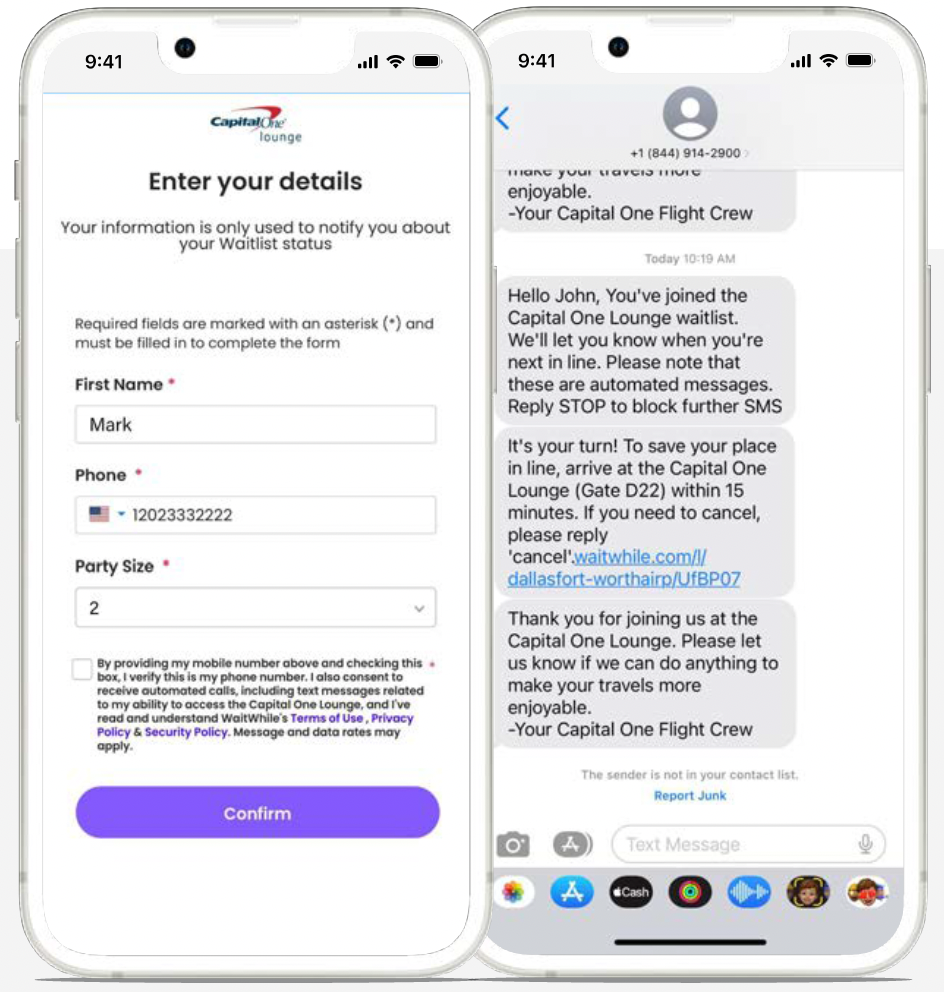
Making every step clear
From finding the lounge to joining the waitlist and receiving an entry notification, I organized the experience into clear, sequential instructions that helped travelers understand each step.
Check lounge capacity
Enter the new Capital One Lounge digital waitlist tool, where eligible Venture X and Venture X Business cardholders can view capacity in real time and, if needed, join the waitlist—all through the Capital One Mobile app.* The Lounge digital waitlist tool can help eligible guests plan ahead better by following these easy steps:
Sign in to the Capital One Mobile app
On the homepage select Travel (denoted by an airplane icon), located within the Explore Rewards & Benefits tile
Once on the Travel page, select Lounges in the top right corner
Below the Search Bar, select a Lounge location to view capacity and wait times
Join the waitlist
Then guests can view details about the selected Lounge location and its availability. If the selected Lounge is on a waitlist, Venture X and Venture X Business cardholders will be able to join digitally by following these steps:
Select Join Waitlist
Enter your name, phone number and party size
Slide the button to join
Get notified when it’s time to enter
After joining the waitlist, guests can return to the lounge location page to view their confirmation and anticipated wait time. When it’s time to enter the Lounge, guests receive a notification via text to visit front desk reception. Once notified, guests must arrive within the specified grace period to keep their spot in line. Guests can submit their arrival status in the Capital One Mobile app to let Lounge staff know if they’re on the way, running late, have already arrived or are no longer coming. Guests are still able to join the waitlist in person and will be notified via text when it’s their turn to enter.
Making the feature discoverable
Beyond explaining how the tool worked, I developed SEO metadata and short-form messaging to help customers discover the feature and understand its value within tight character limits.
SEO & META data
SEO page title (55/60 cc): Capital One Lounge real-time capacity digital waitlist
META description (101/108 cc): Lounge waitlist tool lets guests join the waitlist from the mobile app if the Lounge is at capacity.
Short HL (29/30 cc): NEW: Lounge digital waitlist
Making every interaction count
Whether turning a chocolate bar into a feedback opportunity or translating a new digital tool into actionable instructions, the goal was the same: make the experience intuitive, engaging, and easy to navigate. From physical touchpoints to digital products, I focused on connecting the right message to the right moment—helping customers understand what comes next and giving them a reason to take action.